Finance
Before
Invoices, expenses, and billing details need repeated checking across disconnected records.
With ArielusOne
Finance sees operational context attached to the work that created the transaction.
Solutions by team
ArielusOne connects finance, operations, people, inventory, reporting, and customer-facing work around shared records and approvals.
Solution directory
Each solution connects a team’s daily work to the records, approvals, documents, and reports that other teams rely on.
Connect invoices, expenses, procurement activity, billing context, and accounting-related records.
Explore finance control OperationsCoordinate assets, inventory, service requests, field work, and operational records.
Explore operations HR & AdministrationSupport employee records, HR workflows, administrative requests, and payroll-related context.
Explore people workflows Owner & ExecutiveView operating work through connected information across finance, people, inventory, and industry workflows.
Explore platform view ProcurementKeep purchasing work connected to approvals, inventory, suppliers, and finance context.
Explore procurement Inventory & WarehouseConnect stock, warehouses, asset movement, and operational demand with the teams that depend on them.
Explore inventory Sales & CRMKeep customer records connected to requests, billing, documents, and operational follow-through.
Explore customer work ReportingGive teams clearer visibility from the records already being created across the business.
Explore reportingBefore and after by team
Invoices, expenses, and billing details need repeated checking across disconnected records.
Finance sees operational context attached to the work that created the transaction.
Teams coordinate assets, inventory, service work, and approvals across separate tools or manual files.
Operational records stay connected to the people, documents, and approvals behind them.
Employee records, schedules, requests, and administrative documents can become difficult to track.
People workflows sit inside the same operating platform as finance and operations.
Connected workflow
ArielusOne solutions should show the business handoff, not only a department label. The page structure keeps every solution tied to shared work across teams.
Inside ArielusOne
Explore financial activity, employee and asset records, order fulfillment, service jobs, and property contracts across the platform.
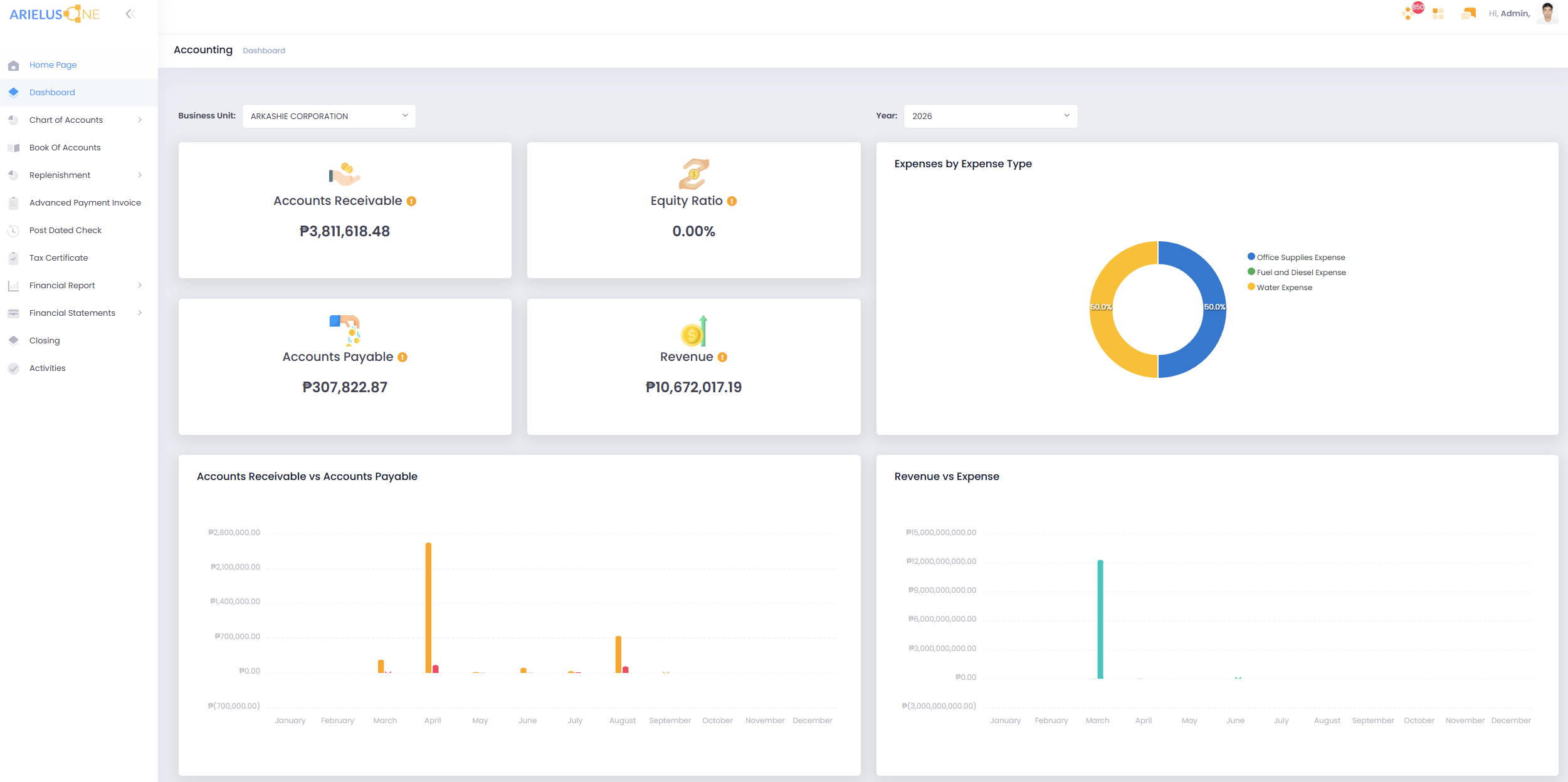
Finance
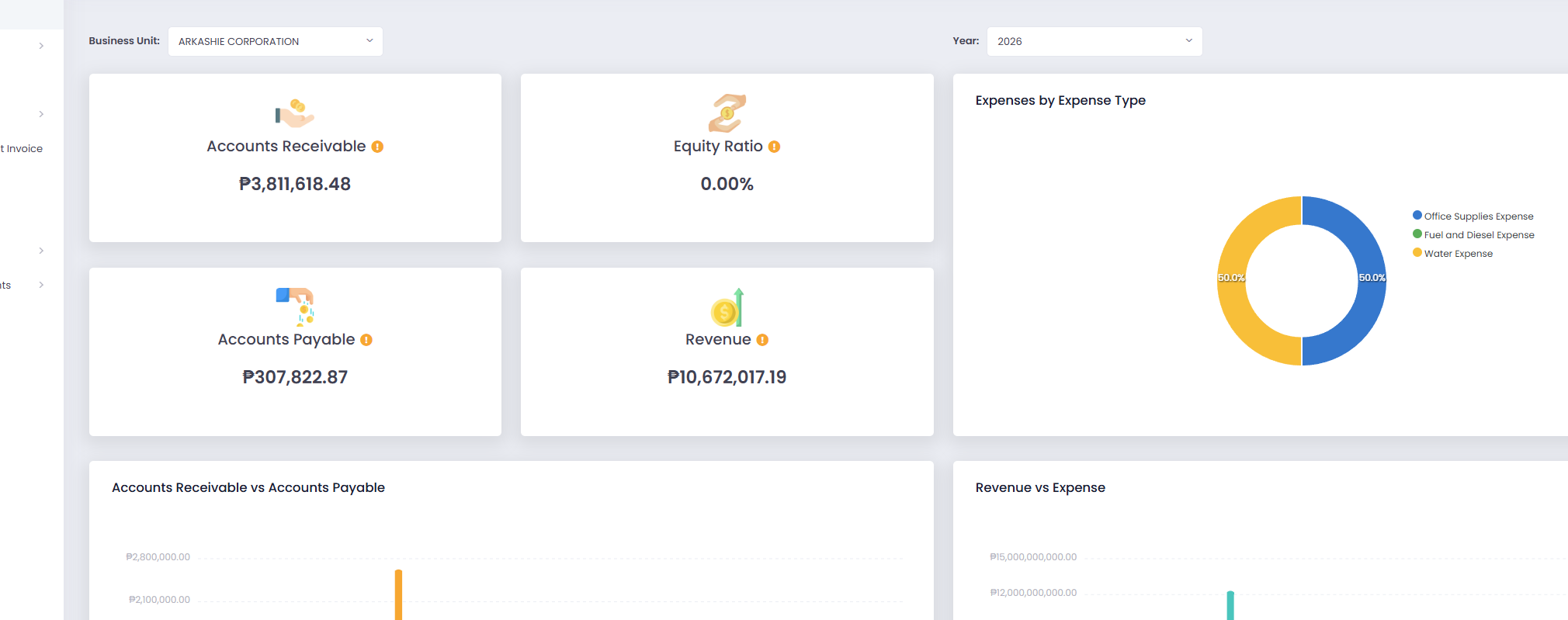
See receivables, payables, revenue, and expense information together in the Finance dashboard.
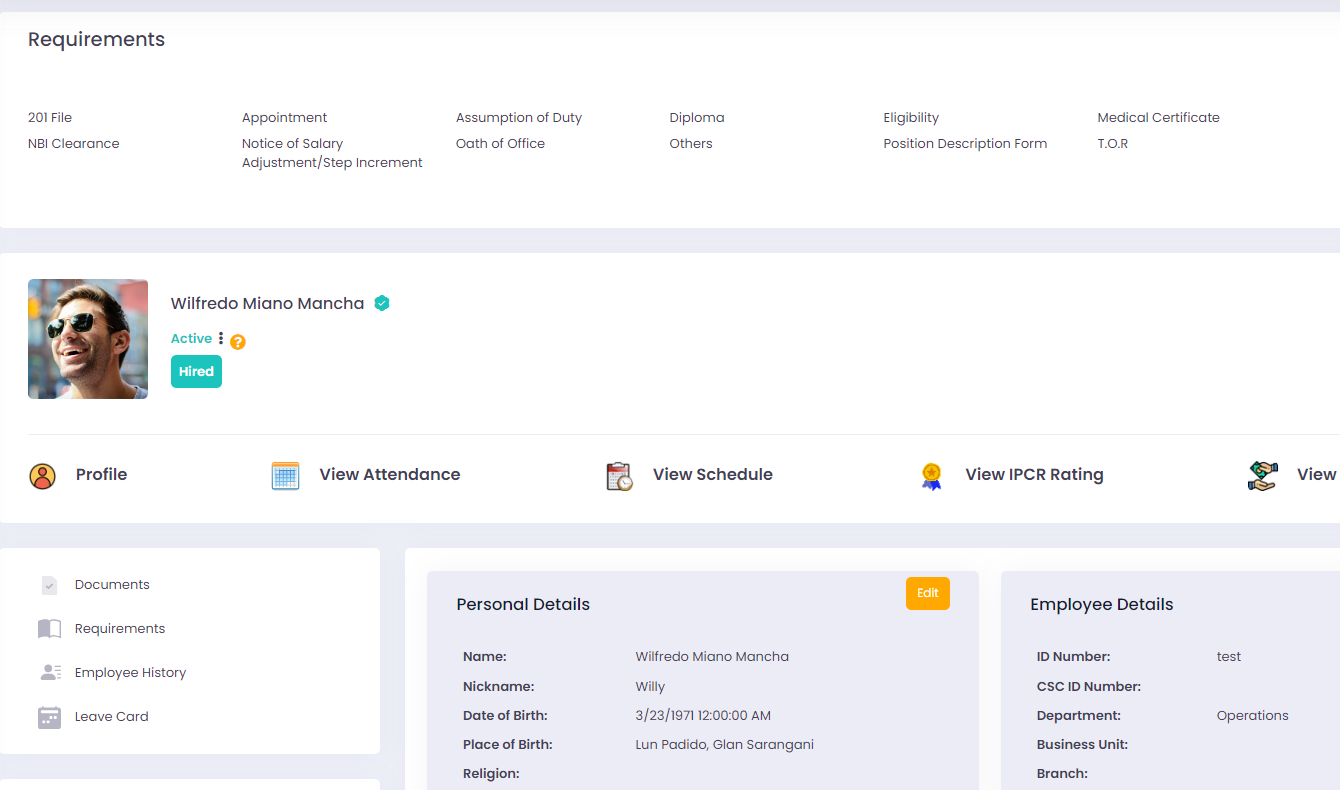
People
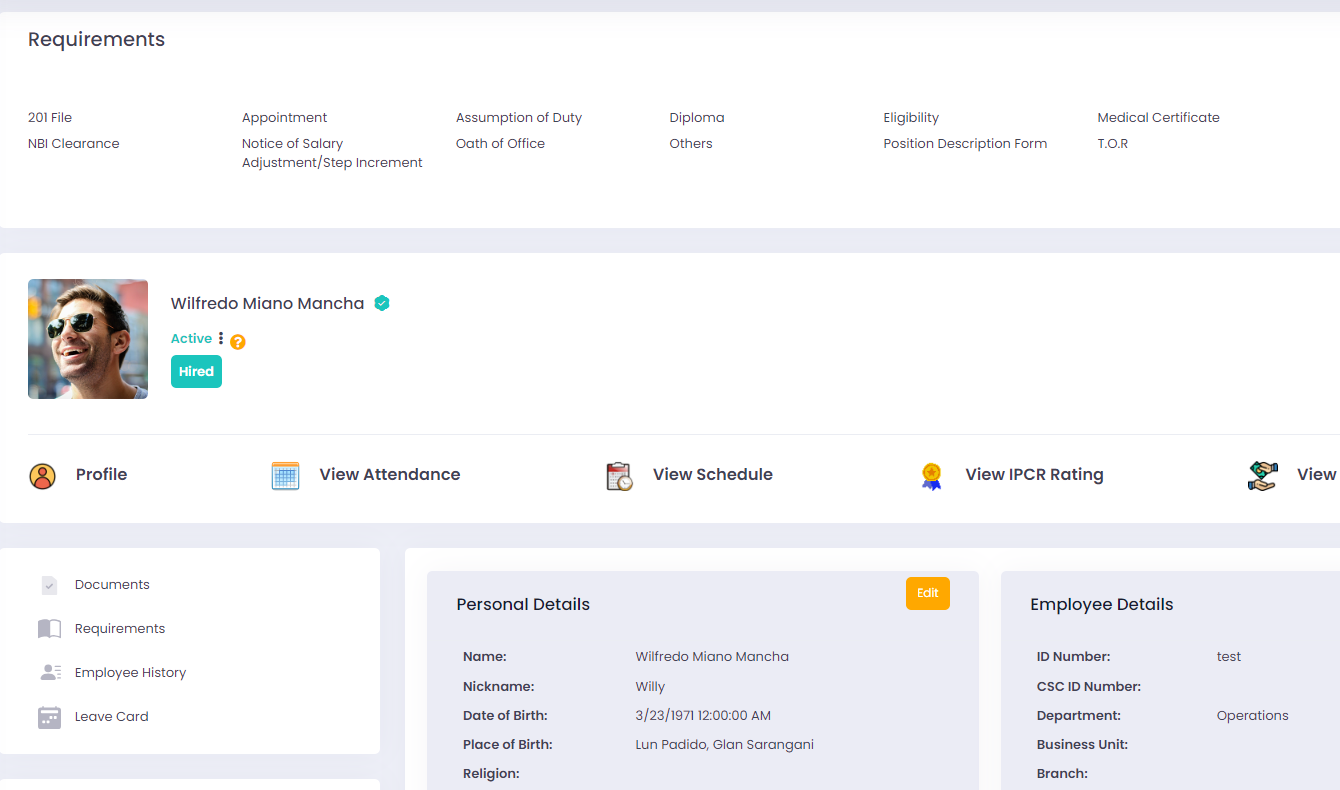
Review an employee's profile, requirements, and related records from the HRIS employee view.
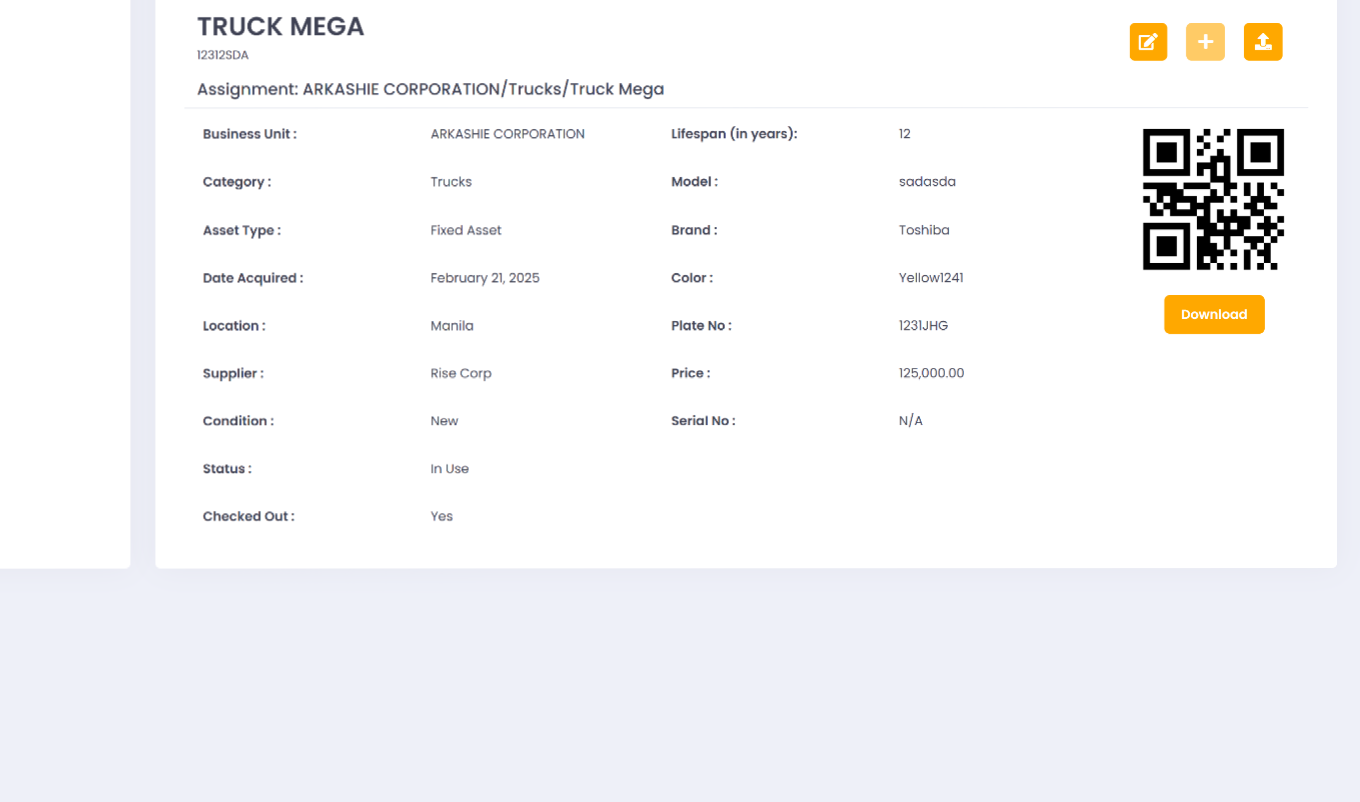
Assets
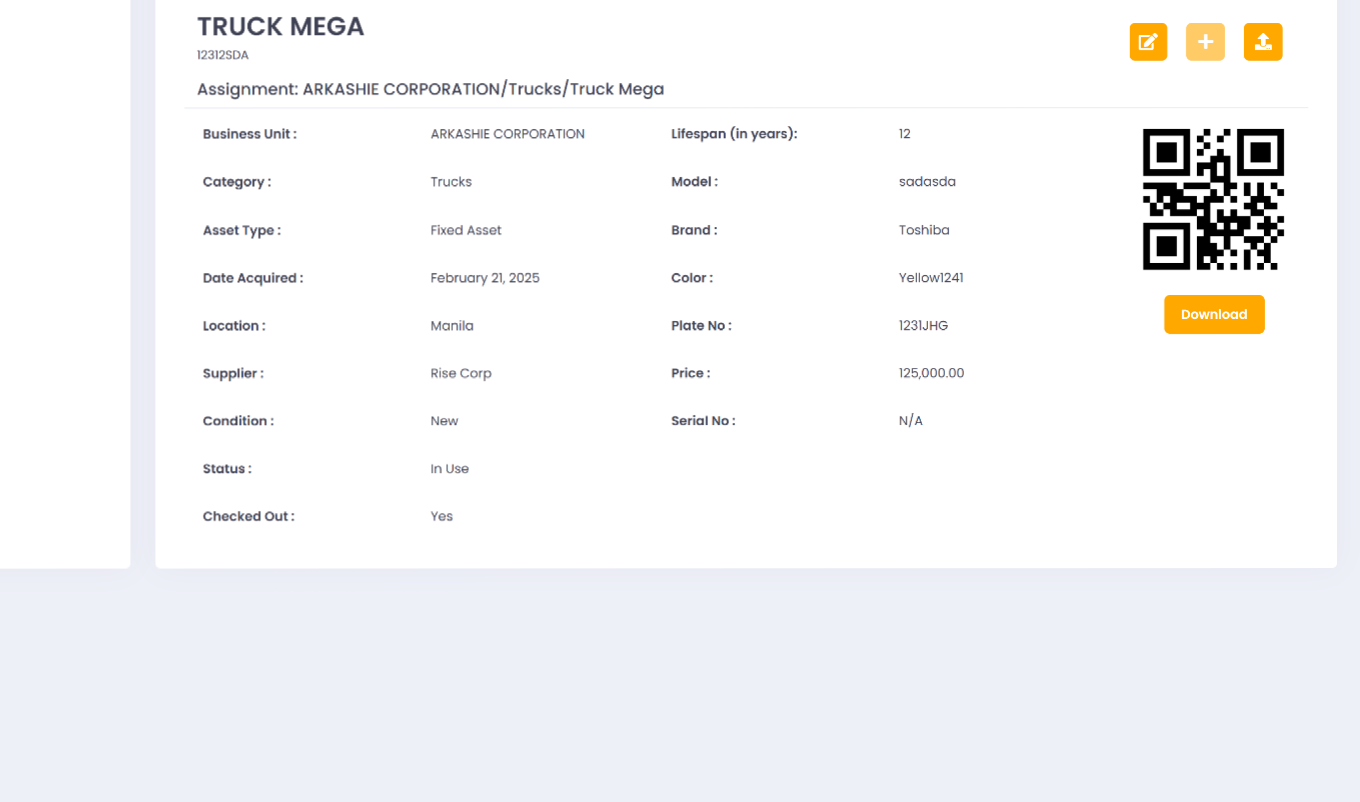
Review an asset's assignment, condition, and history alongside its QR code in the Asset Management record.
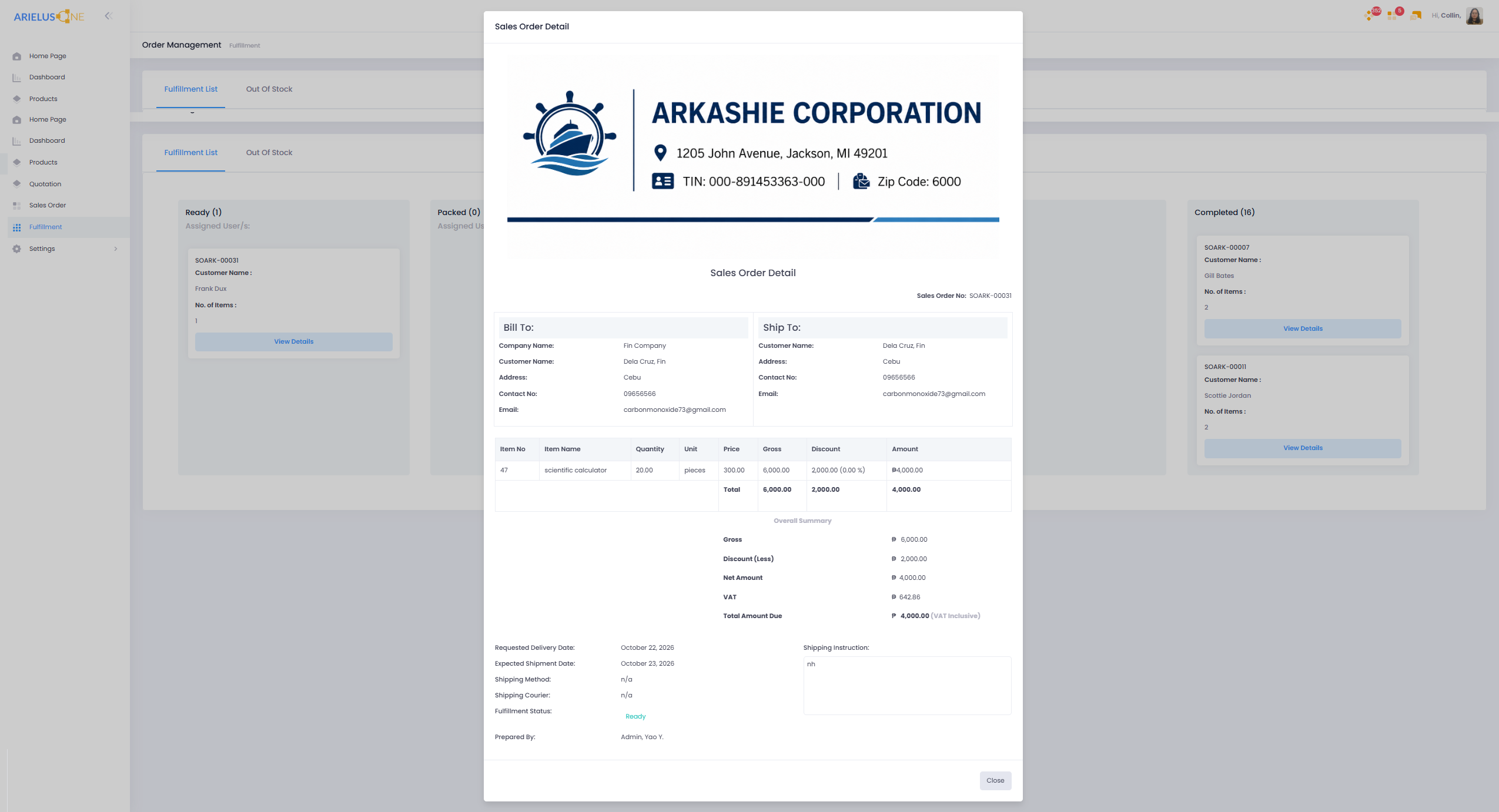
Sales Orders
Keep customer information, ordered items, delivery dates, and fulfillment status together in the Sales Order Detail view.
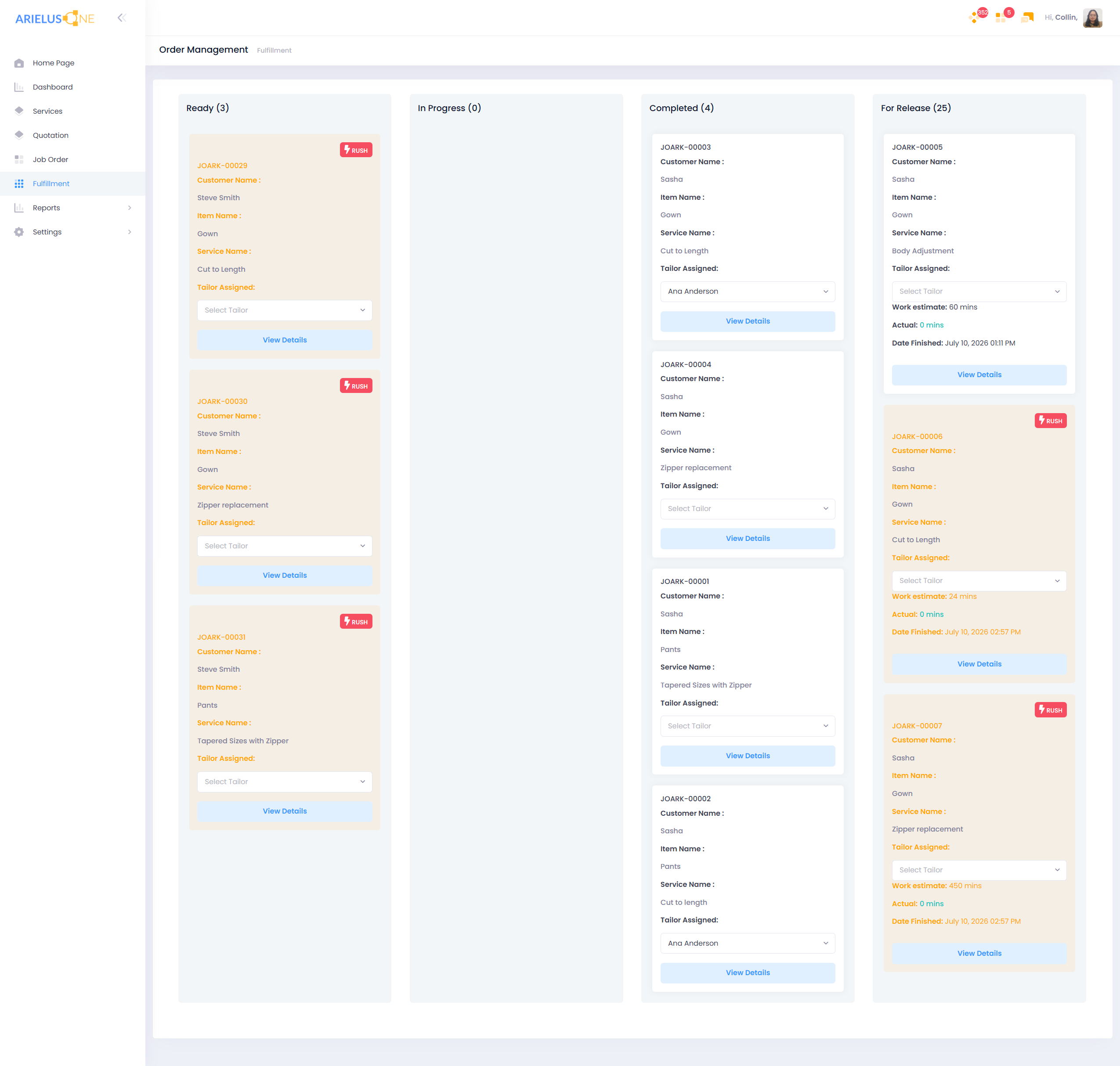
Service Jobs
Review job orders across Ready, In Progress, Completed, and For Release stages, with service details and assignments visible on each job.
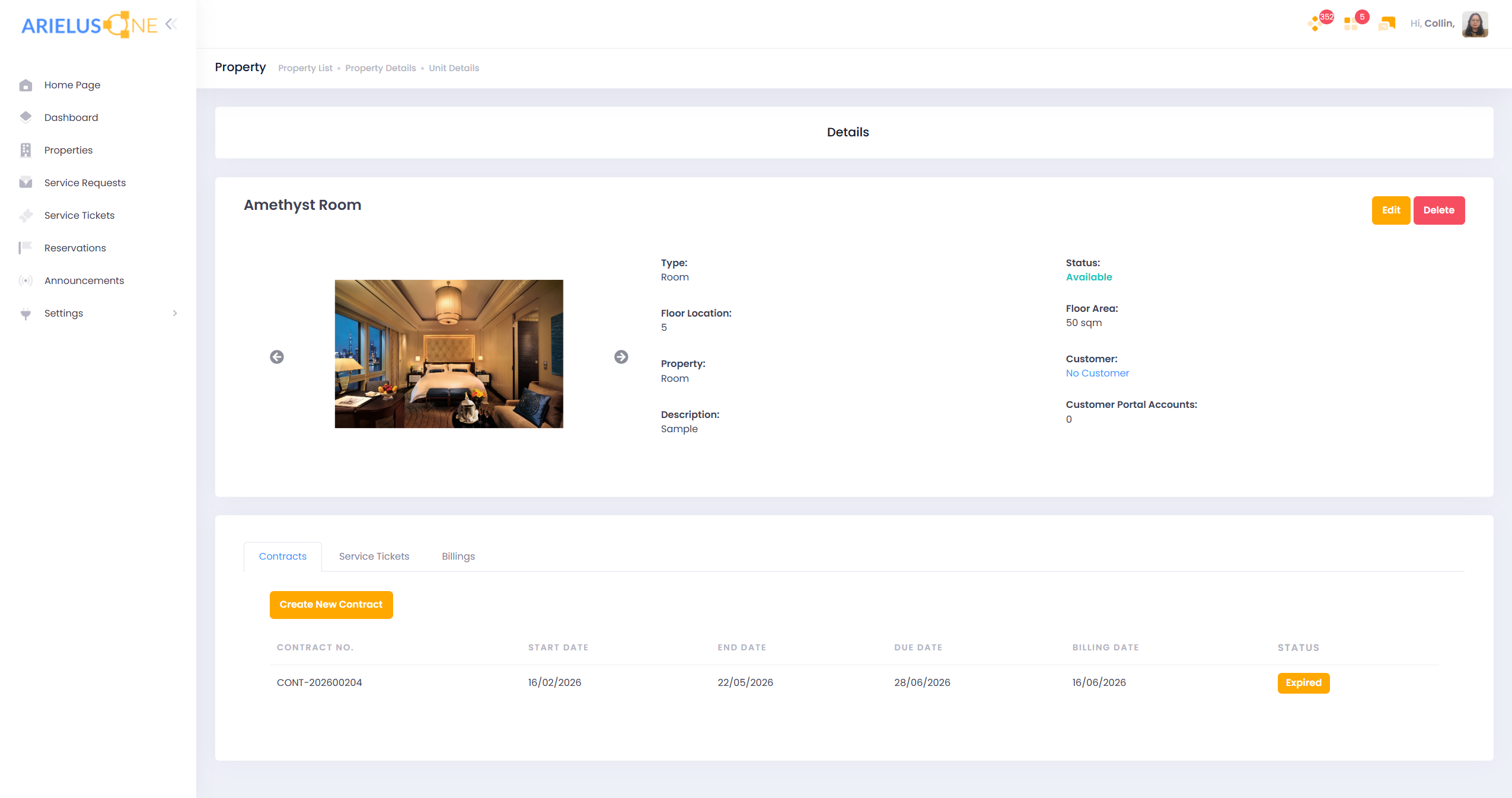
Property Contracts
Review unit details and contract records, including start dates, end dates, billing dates, due dates, and status.
Tailored walkthrough
Review your finance, operations, HR, inventory, reporting, and customer workflows with an ArielusOne walkthrough.